
Interface · Supermarket Simulator · read from a local copy
The warnings the game shows you
The game keeps separate warning routines with a delay for the bat, the crate, dirt, shoplifters, the tablet and the vegetables.
Not every message in Supermarket Simulator is a popup: the game keeps separate warning routines with delays for the bat, the crate, dirt, shoplifters, the tablet and the vegetables, and ships its own artwork for those warning screens.
What the game establishes
- The game keeps separate warning routines with a delay for the bat, the crate, dirt, shoplifters, the tablet and the vegetables. (checked against the game's own files)
- Warnings keep canvases of their own rather than sharing the popups. (checked against the game's own files)
- A warning can be stopped as well as started. (checked against the game's own files)
- An interaction can register a warning of its own. (checked against the game's own files)
- The game ships its own artwork for the warning screens. (checked against the game's own files)
- The cleaning warning shows the tool wheel with the bat, sponge, crate, mop and tablet beside a dirty floor and the dirtiness indicator. (checked against the game's own files)
- The security warning shows a detector gate, a camera and a guard in one picture. (checked against the game's own files)
In play
Not every message in the shop is a popup of the kind that asks a question. The game also has warning screens of its own, and it decides what is worth warning about rather than leaving it to you to notice.
Each warning is a routine with a delay. There is one for the bat, one for the crate, one for dirt on the floor, one for shoplifters, one for the tablet and one for the vegetables, which is why a warning tends to arrive a moment after the thing it is about rather than at the instant it happens.
Warnings keep canvases of their own rather than sharing the popups. The game has a canvas for the dirtiness warning and one for the over-change warning, and a warning can be stopped as well as started, which is how one can clear itself once you have dealt with the cause.
Some of them show you what to do about it. The cleaning warning is a teaching picture: it draws the tool wheel with the bat, the sponge, the crate, the mop and the tablet around an empty hand, beside a dirty floor and the dirtiness indicator that sits in the corner of the screen.
Others point at the shop's security. The security warning puts a detector gate, a camera and a guard in one picture, which is the game telling you the three things it expects a shop to buy rather than a description of any one of them.
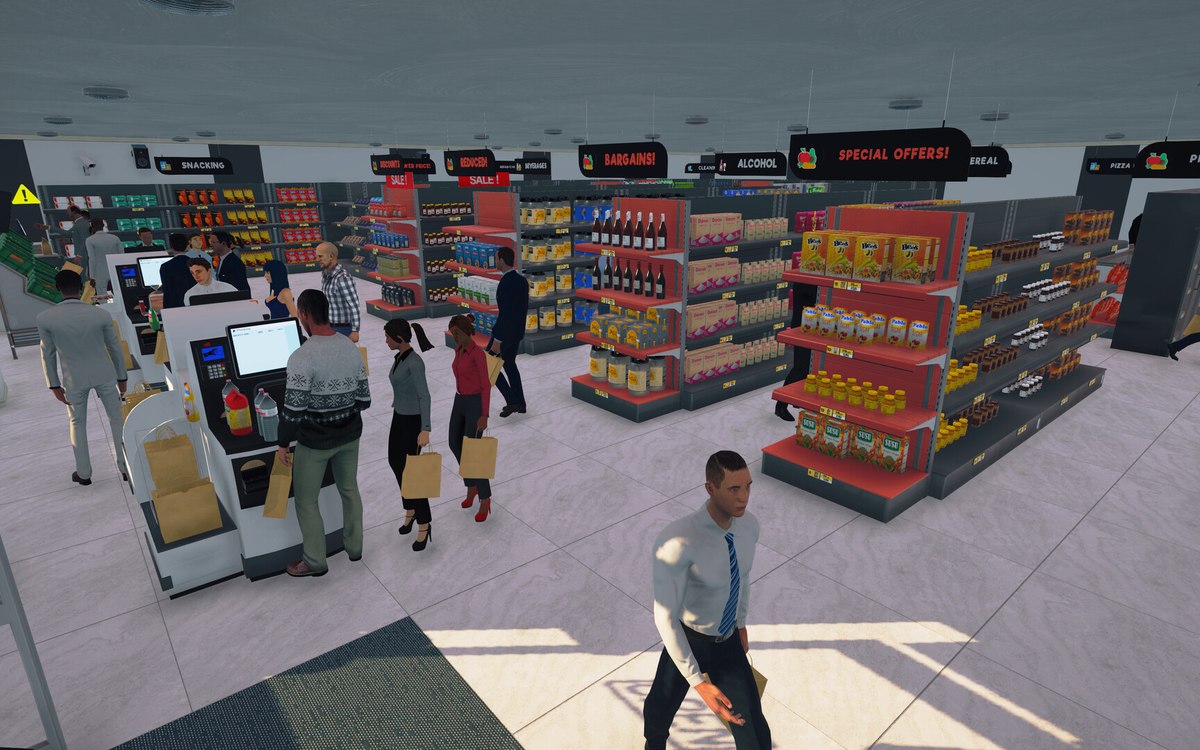
The artwork beside this entry is the game's own: two of its warning screens, taken from the installation this site describes, and neither was drawn by this site.
What this entry does not tell you: how long each warning waits before it appears, which of them can be switched off, or how often shoplifters actually turn up. We have not verified those, so we do not print them.
Related
 InterfaceThe popups that interrupt youPopups are run by a manager of their own.
 CustomersShoplifters and the door detectorA shoplifter is its own kind of behaviour in the game.
Version and sources
A local copy of the game, read only. The grounding for each fact is listed on the technical reference pages; nothing here is estimated. Documented build: 1.6.0 (223).