
Shelves and stock · Supermarket Simulator · read from a local copy
The storage lights and its door
The storage area has lights of its own.
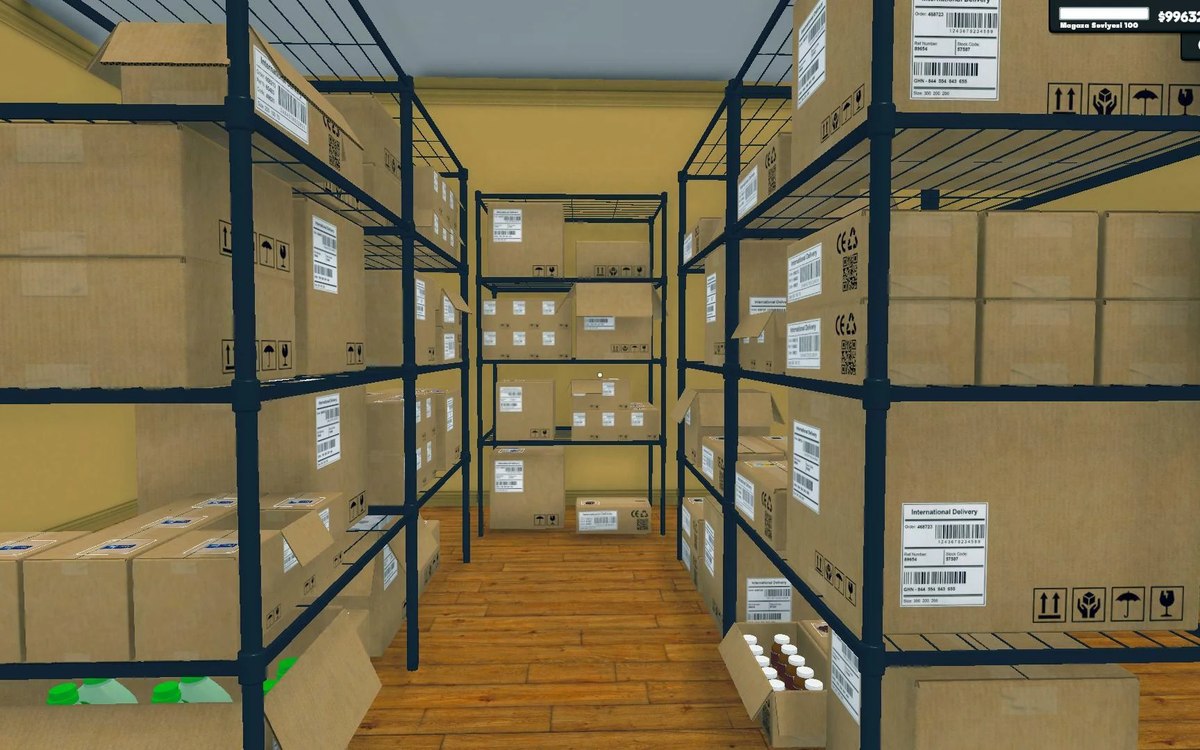
The back room in Supermarket Simulator is not just shelves: the game gives the storage area a door and a set of lights of its own, and it tracks whether those lights are switched on.
What the game establishes
- The storage area has lights of its own. (checked against the game's own files)
- The game tracks whether the storage lights are on. (checked against the game's own files)
- The lights have an interaction of their own in the world. (checked against the game's own files)
- In a shared shop the storage lights are kept on the network. (checked against the game's own files)
- The storage area has a door of its own. (checked against the game's own files)
In play
Storage is a room with fittings of its own. The game keeps a door and a set of lights for the storage area rather than treating the back as a plain extension of the shop floor.
The lights have a state. The game tracks whether the storage lights are on, which is why the back room being lit or dark is something the game knows about and not only something you can see.
They are switched like anything else. There is an interaction for the storage lights with a manager behind it, so turning them on is an action you take in the world rather than a setting you tick.
In a shared shop the lights are shared. The game keeps the storage lights on the network as an object of their own, which is why one player switching them on is something everyone else sees too.
The door is part of that room as well. It has its own object, so the way into the back is a thing in the game rather than a painted opening in a wall.
What this entry does not tell you: how many lights there are, whether they cost money to run, or whether brightness changes how customers behave. We have not verified those numbers, so we do not print them.
Related
 Shelves and stockStorage sections and sortingStorage is built from sections rather than one flat list.
 Upgrades and licencesRaising your storage and shop levelThe shop's level is run by a manager of its own.
Version and sources
A local copy of the game, read only. Identifiers are listed on the technical reference pages; nothing here is estimated. Documented build: 1.6.0 (223).