
Guide
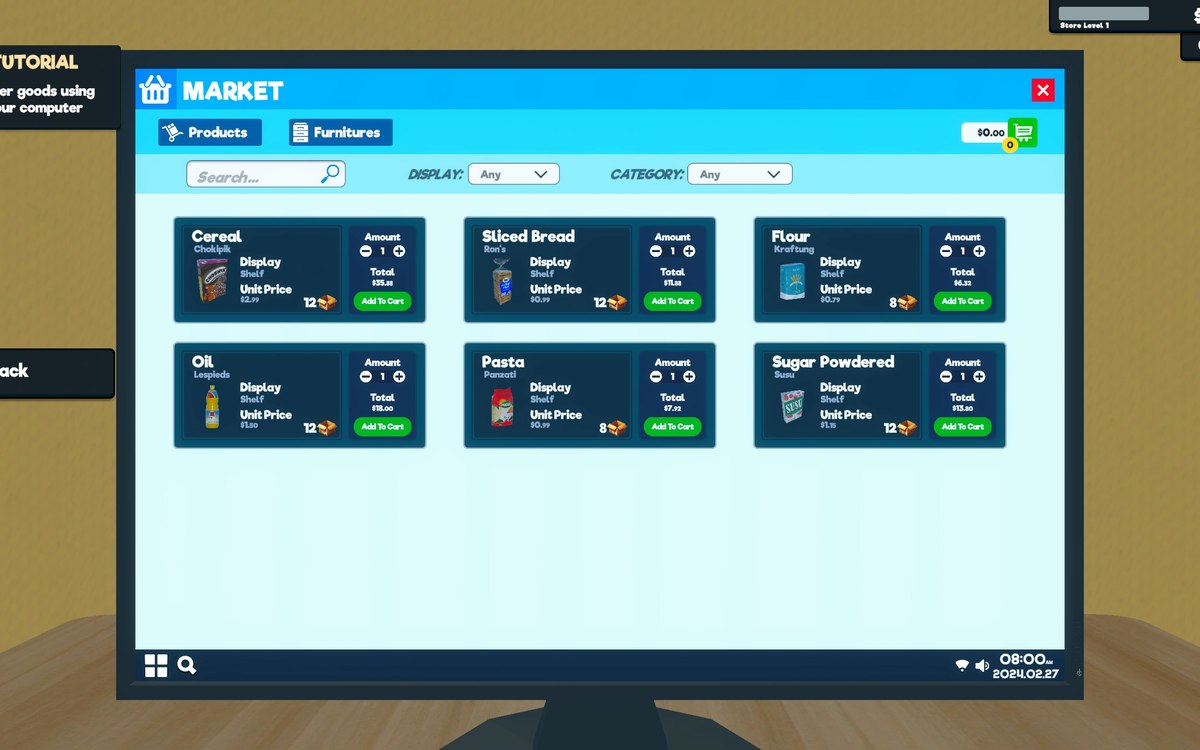
Buying equipment from the shop computer
How to buy paint, tools, vehicles and fittings in Supermarket Simulator: why the computer has a viewer for each kind of thing rather than one list, where the vending machines are filed, and what the computer's screens are built on.
Applies to
1.6.0 (223), read from the copy of the game this site was built from (see the sources page)
Before you start
- A shop that is open with a computer placed
- Enough money for what you intend to buy
- Somewhere to put the thing once it arrives
Steps
- Start at the computer rather than looking for a catalogue in a menu.
the computer is an object in the shop with a desk of its own, so buying equipment happens where the machine stands - Expect a different viewer for each kind of thing instead of one long list.
the shop floor has a viewer of its own and the furniture has another, so looking over what you own and buying something new are separate screens - Look for tools in their own viewer and their own kind of sale entry.
tools are filed as a catalogue of their own rather than as ordinary stock - Do not go to the stock list for a vehicle.
vehicles have a viewer of their own, so what you drive is bought where the game keeps it rather than beside the groceries - Treat paint as a purchase rather than a service.
paint is sold as an item of its own, so it arrives as something you then use rather than as a job done for you - Buy floors from their own entry and check them in their own viewer.
flooring is filed as its own kind of sale entry rather than as a general fitting - Do not forget where the vending machines are kept.
vending machines have a tab of their own on the computer, apart from the rest of the fittings - Expect the computer's screens to behave like windows rather than like full-screen menus.
its screens are windows drawn on a desktop canvas of their own, so they open over one another rather than replacing the whole view - Expect pricing to have its own controls inside the machine.
the computer carries a handler for pricing controls rather than relying on a general input path - Plan where the thing will go before you buy it.
what you buy is an object you then place, and placement is its own step rather than part of buying
Common mistakes
- Searching the stock list for a vehicle or a tool.
- Expecting one catalogue to hold every kind of purchase.
- Buying paint and expecting the game to apply it for you.
- Treating the computer's screens as full-screen menus that replace each other.
Related entries
 Running the shopThe shop computerThe shop computer is an object of its own with its own desk.
 ProductsThe vehicles you can useVehicles are sold as items in the shop.
Sources
A local copy of the game, read only. Grounding for each step is on the technical reference pages; no number is estimated.